

Parents
Download your child's certificate
When a season ends, your child gets a certificate of achievement with their name, their team and the place their team finished. You can download it yourself, straight from your family portal.
You can download every player's certificate for your squad, and add the names they need, from the competition dashboard: Download player certificates.
Before you start
The download button appears on its own once three things are true. You do not need to ask anyone for it.
Your child is linked to your account
If your child is not in your family portal yet, use the link your team manager sent: Joining your team walks you through it.
The season has ended
The certificate shows the place the team finished, so it appears after the last game, once the league has its certificate ready for that season.
The third thing is your child's full name on the team's roster. If the team only has a jersey number or a first name for your child, the button stays hidden until the full name is added. See when the button is not there.
1. Download from your Teams page
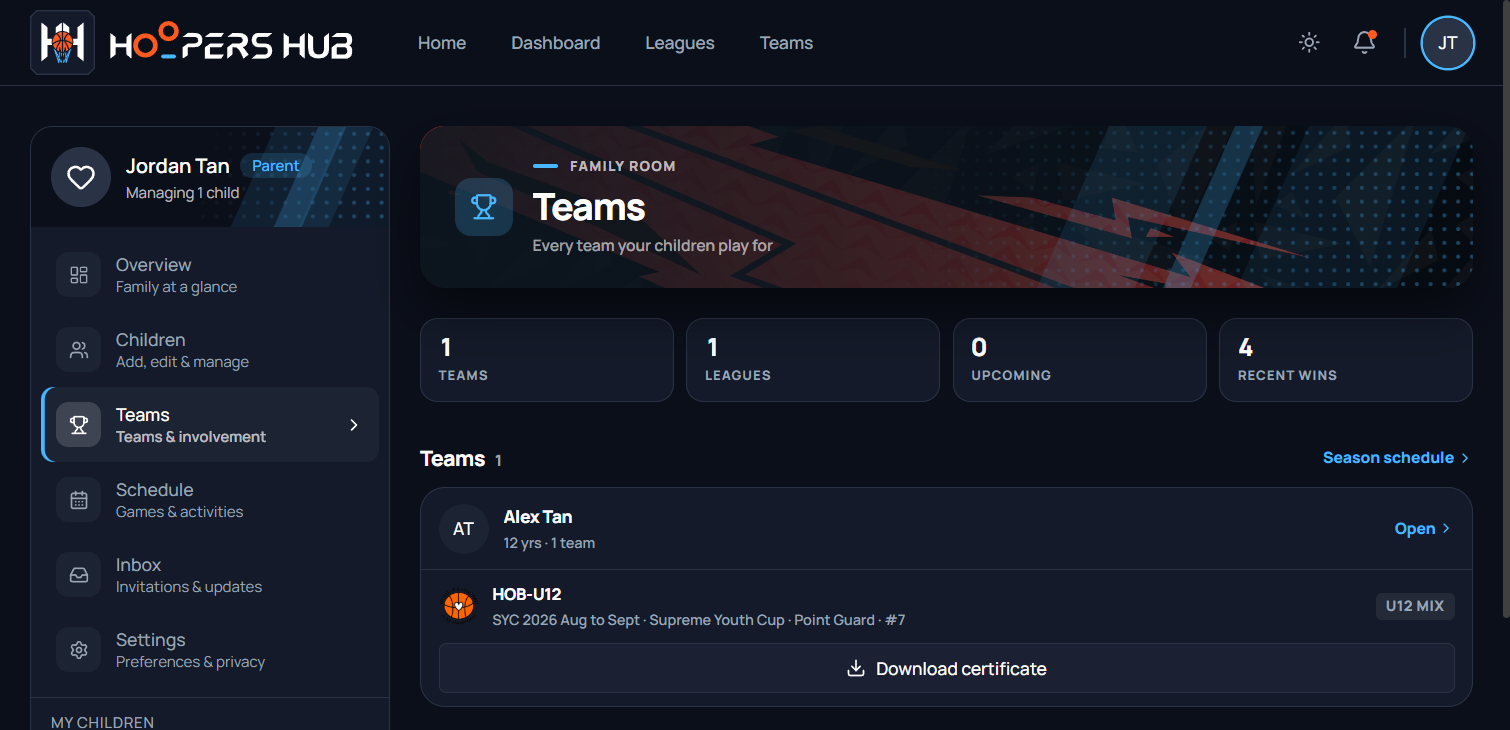
In your family portal, choose Teams in the sidebar. Each child has a card listing every team they have played for, one row per season.
images/ce-06-family-teams.png
A child's card, with Download certificate under a finished season.
-
Find the season
The row names the team, the season and the league, for example HOB-U12, SYC 2026 Aug to Sept, Supreme Youth Cup.
-
Press Download certificate
The button reads Preparing PDF… for a moment, then the certificate saves as a PDF named after the season and your child, for example
SYC-2026-Aug-Sep-Certificate-Alex-Tan.pdf. It prints on A4, landscape.
2. Or from your child's portal
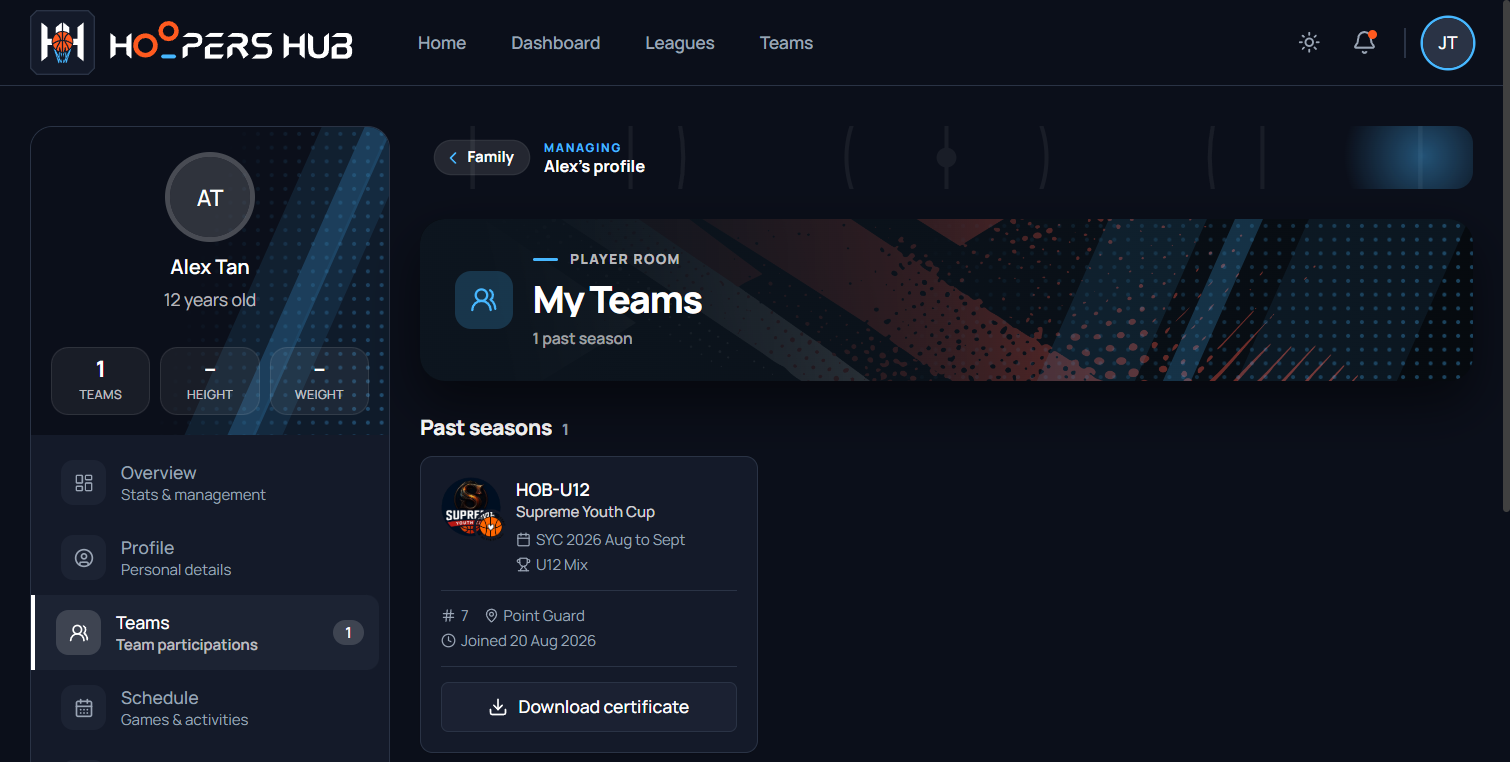
The same button is on your child's own Teams page. Open the child from My Children or with Open on their card (opening a child's portal explains this), then choose Teams.
images/ce-07-player-teams.png
The Past seasons card, with the league logo and Download certificate.
Players who manage their own account download in exactly the same way, from Teams in their own portal.
What the certificate says
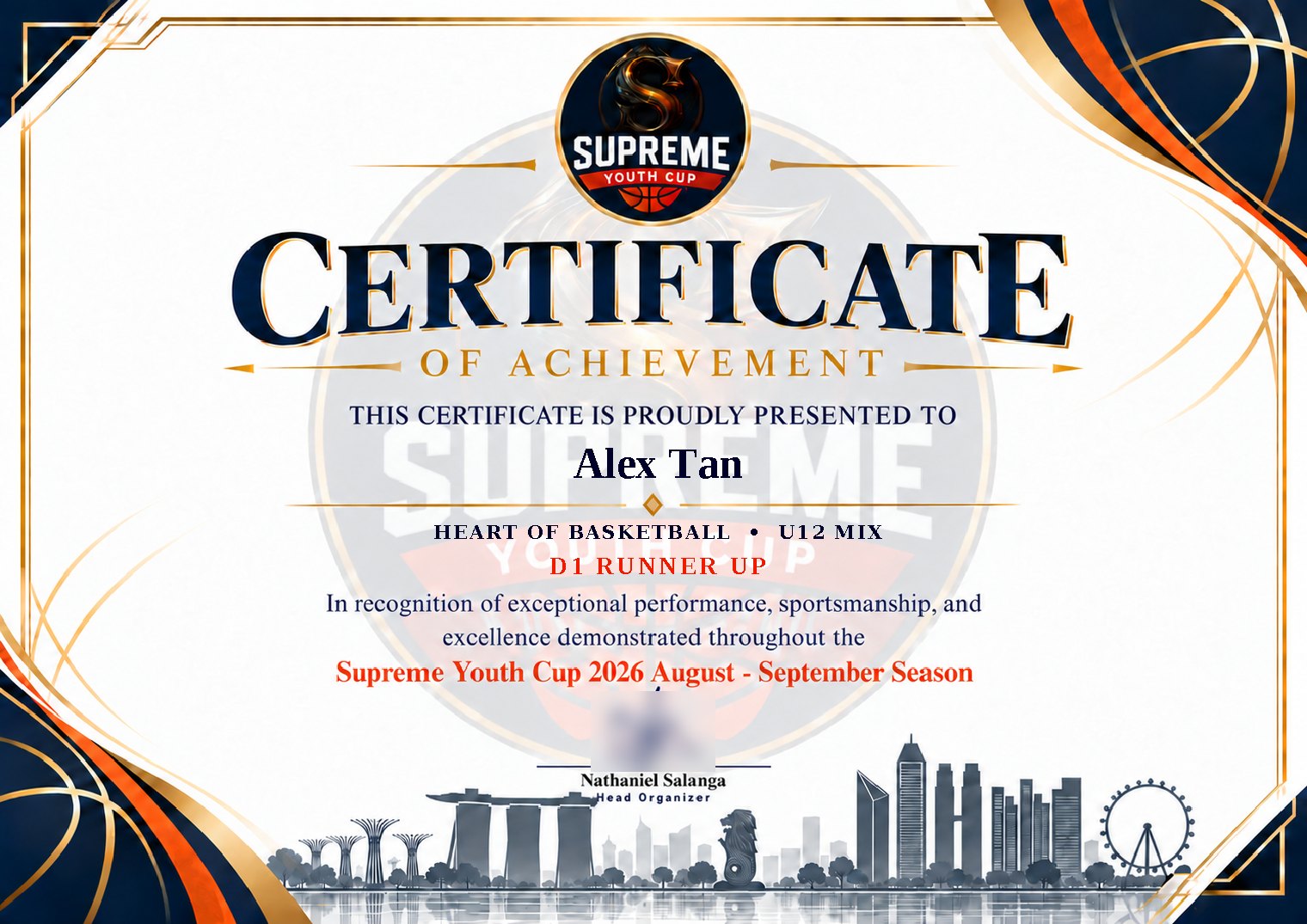
Your child's name, the team and division, and the place the team finished.
images/ce-08-certificate.jpg
Name, team and division, then the placing.
Playoffs are played in levels: D1, D2 and D3. Each level has its own champion and
runner-up, so the placing names the level, for example D1 CHAMPION,
D2 RUNNER UP or D3 CHAMPION. Third and fourth in a level
read 2ND RUNNER UP and 3RD RUNNER UP. A team that did not
finish in the top four of a level reads PARTICIPANT.
When the button is not there
Find the line that matches what you see.
| What you see | Why | What to do |
|---|---|---|
| The season is still being played | The placing is not known until the last game | Check back after the last game |
| A finished season with no button | Most often the team has not given your child's full name yet. Some older seasons also have no certificate | Ask your team manager to add your child's full name to the roster. Their steps are in naming the players who need it |
| Your child is not in your family portal | Your child is not linked to your account yet | Follow the link from your team: Joining your team |
| A message: this squad's playoff result has not been recorded yet | A game that decides the placing is still waiting for its result | Try again in a day or two, once the league has recorded it |
Common questions
My child's name is spelled wrong on the certificate
The certificate uses the name on your child's profile. If you look after the profile, correct it yourself from your child's portal (editing the details), then download again. Otherwise ask your team manager to correct it.
The other parent wants a copy too
Anyone you have added as a parent or guardian sees the same button on their own Teams page. See adding the other parent, or simply send them the PDF.
The placing looks wrong
It comes from the playoff results the league recorded. Your team manager can ask the league to check, and a corrected result shows on the next download.
Can I download certificates for older seasons?
Only for seasons the league has a certificate for. If a finished season shows a button, it works; if it does not, there is no certificate for that season.