

League manager
Invite a team manager
Hand a team over to the person who runs it, so they maintain their own roster instead of sending you changes to key in.
What a transfer does
Teams usually start life inside your league, created by you so fixtures and registrations can be set up before anyone from the club has an account. A transfer is how a team stops being yours and becomes its manager's.
Nothing is duplicated or re-entered. The player pool, every active league registration and the team's history move with it, and the person who claims it gains the Team Manager role on their existing account.
Once a team has been claimed, ownership does not automatically revert. Getting the email address right matters more than getting the invitation out quickly.
They get an email, sign in or register, review the team, and confirm. If the team is in a tournament, they are then led into squad onboarding. Claim your team is that side written for them, and it is a plain page with no login, so you can send them the link.
1. Send the invitation
Everything happens in the team pool, one team at a time.
-
Open the team pool
Go to Manage › League › your league › Team Pool. Every card shows whether that team has been claimed, invited, or neither.
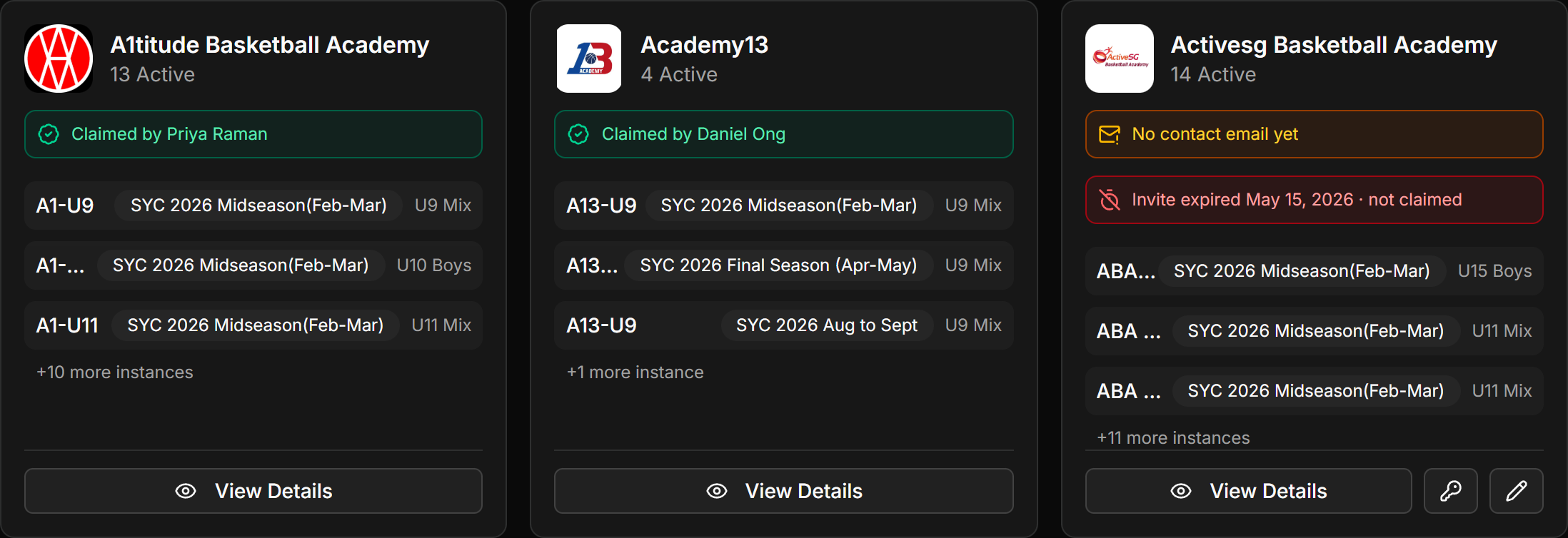 Screenshot: Team pool card
images/ti-01-team-pool-card.pngA team card showing its invite status and the Transfer action. -
Press Transfer on the team
The Transfer Ownership dialog opens. If that team has already been claimed it says so, and there is nothing further to do.
-
Pick a delivery method and send
Two tabs, covered below. Both produce an invitation that lasts 7 days.
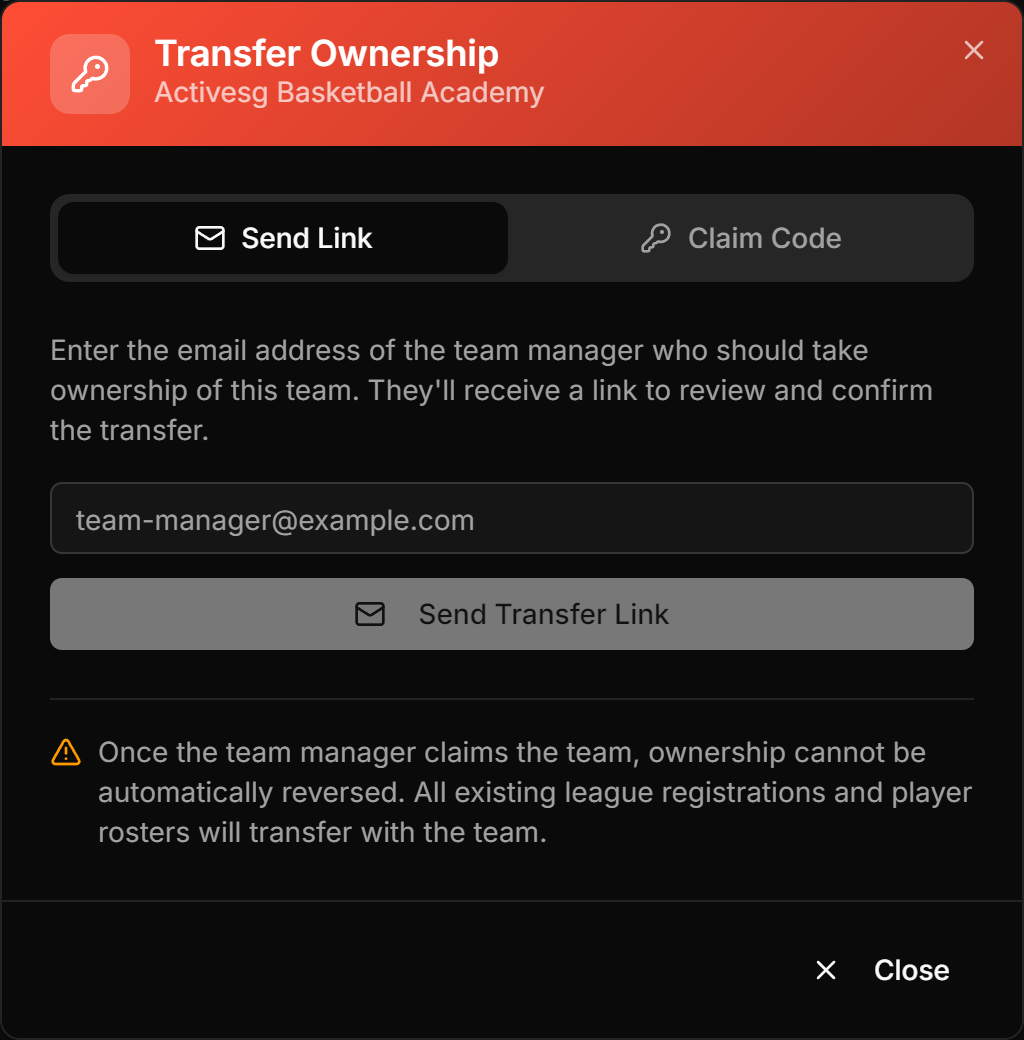 Screenshot: Transfer Ownership dialog
images/ti-02-transfer-modal.pngThe dialog with its Send Link and Claim Code tabs.
2. Link or code
The two methods land the manager on exactly the same screen. Only the delivery differs.
| Method | What happens | Use it when |
|---|---|---|
| Send Link | HoopersHub emails a transfer link to the address you enter. | You know the manager's email address and want a record of where it went. |
| Claim Code | Generates a 6-character code, with Copy Code and Copy Link next to it. | You would rather send it by WhatsApp, or hand it over in person. |
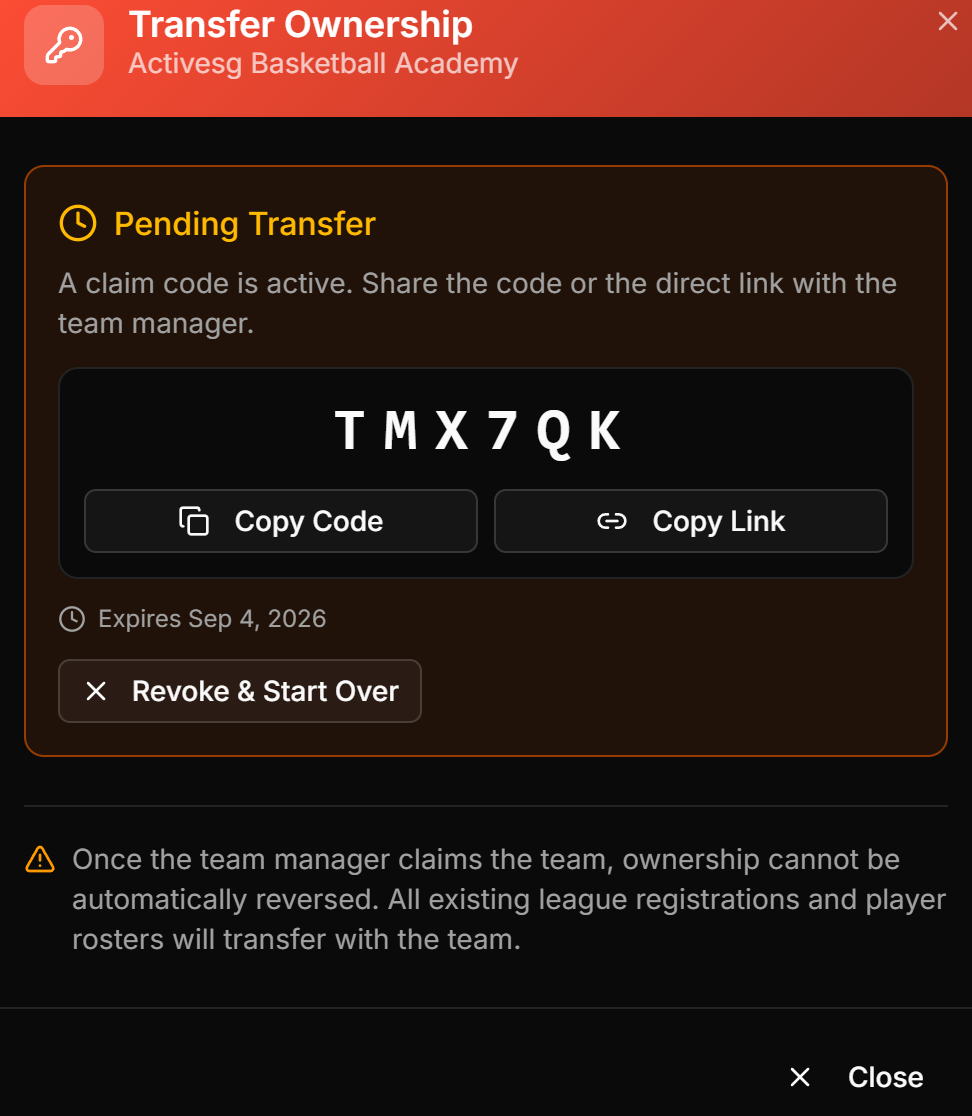
images/ti-03-claim-code.png
The code with Copy Code, Copy Link, and the expiry date.
If the address you type differs from the team's registered contact, the dialog says so and offers Use contact email. This is worth reading rather than clicking past: claiming makes the new address the team's contact, and the person who claims is the person who will be able to onboard by email.
3. Track what happens next
You do not have to chase people blind. Each card in the team pool carries the state of its invitation.
| What the card shows | What it means | Your move |
|---|---|---|
| Claimed by [name] | Done. The team belongs to that manager. | Nothing. No further transfer is needed. |
| Invite pending | A link or code is out and still valid. The address and expiry date are shown. | Wait, or nudge them before it lapses. |
| Invite expired | Nobody claimed it within 7 days. | Send a new one. |
| No claim invite sent yet | Never invited, or the invitation was withdrawn. | Send one when you have the manager's details. |
A scan for Invite expired and No claim invite sent yet is the quickest way to find the teams whose rosters nobody is maintaining.
Fixing a bad invitation
An invitation that went to the wrong address is easy to undo, as long as nobody has claimed it yet.
Open Transfer Ownership on that team again and press Revoke & Start Over. That kills the outstanding link or code immediately, and you can issue a fresh one to the right person. Anyone holding the old invitation will see that it is no longer valid.
Once someone has completed the claim there is nothing left to revoke, and ownership does not revert on its own. At that point it needs sorting out directly with the person who claimed it.
Common questions
The manager says they never got the email
Ask them to check spam, and confirm the address on the team card matches the one they use. If email is unreliable, generate a claim code instead: it travels by message and does not depend on delivery at all.
Can I invite someone who has no HoopersHub account?
Yes. The invitation tells them to register first and then open the link again. They need to register with the address you invited, since the link is tied to it.
What happens to registrations and rosters?
They transfer with the team. Active league registrations, the player pool and the team's history all move to the new owner, and the confirmation screen shows them the full list before they agree.
Can two people manage the same team?
The claim hands ownership to one account. Additional staff are added from inside the team afterwards, by the manager who claimed it.
Do I still need to send them anything else?
No, but it helps. Claim your team walks them through their side, and if the team is in a tournament it also covers squad onboarding. It needs no login, so the link can go straight in your email.